GA4 Now Has an AI Assistant Channel. Here's the Catch.
Google Analytics added an AI Assistant channel on May 13, 2026. It puts AI traffic on the dashboard, but counts forward only and hides the number you most want.
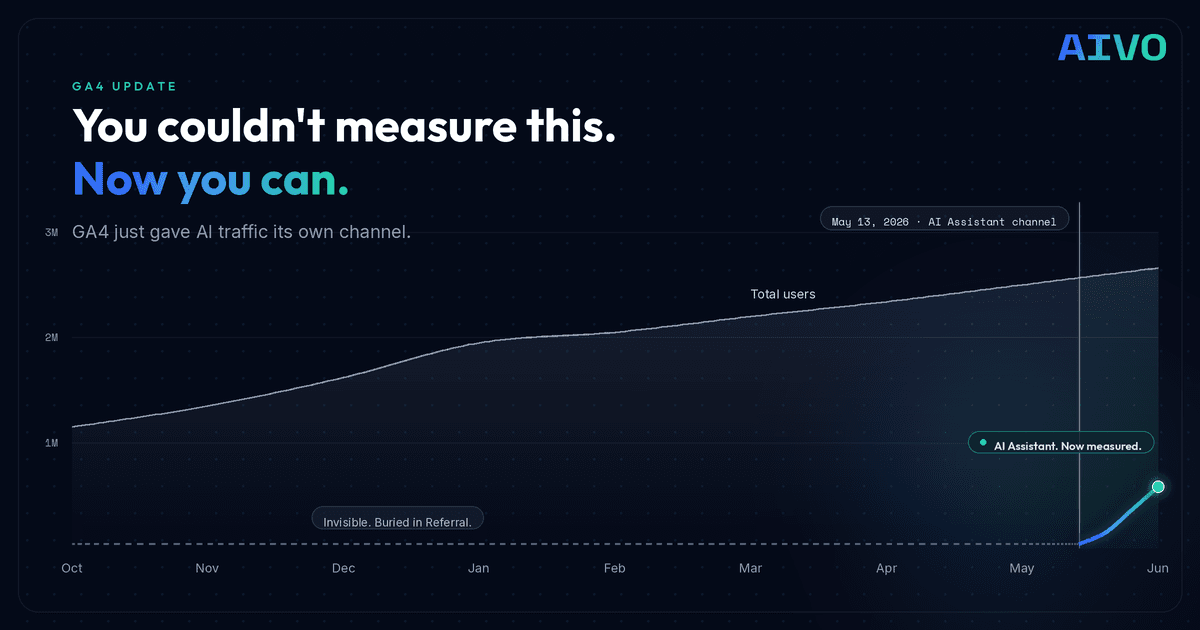
Google added a new default channel to GA4 on May 13, 2026. It finally puts AI traffic on the dashboard. It also hides the one number you most want to see.
Quick check: want to see how your brand shows up across every AI engine, not just the clicks it sends? Run a free Book an Intro.
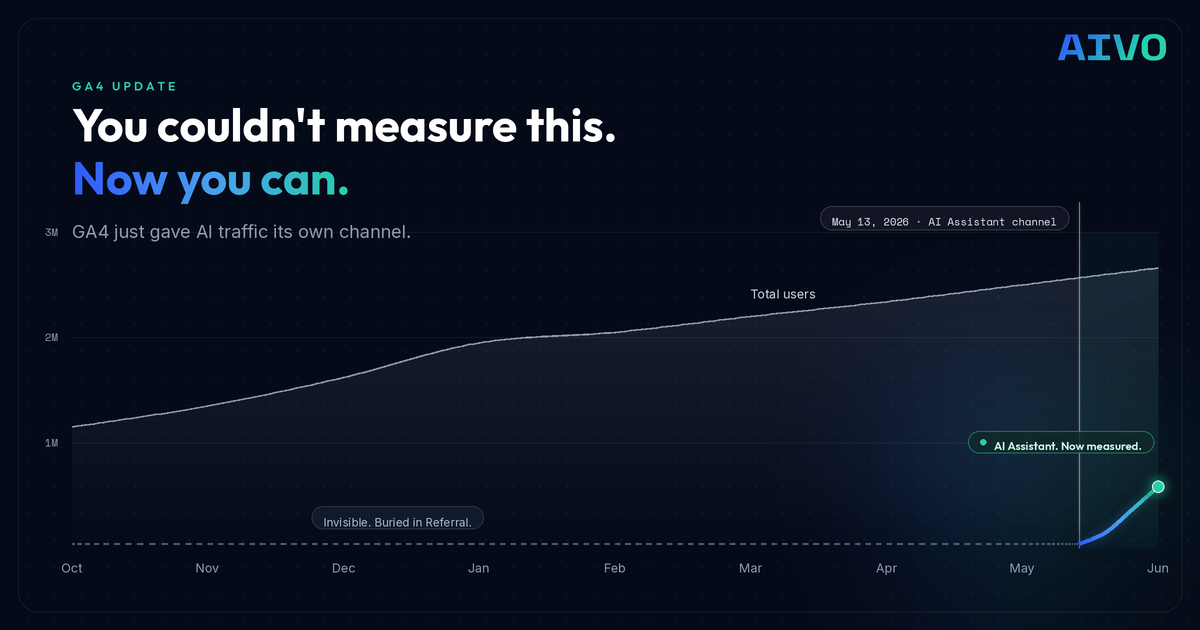
On May 13, 2026, Google Analytics 4 added a new default channel group called AI Assistant. It reached most properties by early June. If you run GA4, you now have a channel that sits next to Organic Search and Paid Search and shows traffic that came from AI chatbots. This is a small product change. It is also a signal worth paying attention to.
📋 TL;DR
- GA4 now reports AI chatbot traffic in its own channel, automatically, no setup needed.
- It only counts forward from May 13, 2026. Your earlier AI traffic stays buried in Referral.
- A custom channel group is the only way to recover that history, and it catches sources Google misses like Perplexity.
- The channel measures clicks, not whether AI recommended you. That gap is the real game.
What Google actually shipped
When GA4 detects a visit from a recognized AI assistant, it does three things automatically. It sets the medium to ai-assistant. It groups the session under the AI Assistant channel. It stamps the campaign as (ai-assistant).
You do not configure anything. That is the convenience. For anyone who spent the past year wiring up custom regex to pull AI referrals out of the Referral bucket, this removes real work overnight.
One caution before you put a platform list in a report. At launch Google named ChatGPT, Gemini, and Claude. By June the live documentation listed a different set, adding Deepseek, Copilot, and Grok, and Claude had dropped off the published definition. The lesson is not the specific names. It is that the list moves. Do not hard-code it. Check Google's help page on the day you publish, and stamp the list with a date.
Why this matters more than a product note
For two years, AI visibility has been the thing everyone agreed was coming and no one could put on a dashboard. Now Google put it on the dashboard.
That is the real story. AI Assistant is now a named line in the default report, sitting beside the channels every marketing team already reports on. When AI traffic has a name, it gets a budget conversation. It gets a slide. It gets an owner.
We have seen this pattern before. In 2022 Google added Cross-network as a default channel to capture Performance Max. The moment it had a name, teams started managing it. Naming a channel is how Google tells the market a category is real.
If you have been trying to explain to a CFO why AI discoverability deserves attention, your job just got easier. The proof is now in a tool they already trust.
The channel has no memory
Here is the part that should bother you. The new channel is forward only. Google did not reclassify your history. Every AI visit before May 13 stays filed as Referral or Direct. So the native channel can show you what AI sent you since mid May. It cannot show you the trend that got you here.
That matters because your AI traffic did not start on May 13. It has been climbing for a year or more, buried inside Referral. If you only look at the native channel, your AI story looks like it began the day Google flipped the switch. It did not. You just could not see it.
There is a fix, and it works the opposite way to the native channel. A custom channel group, the kind you build yourself with a regex rule on AI sources, applies to your entire history. GA4 rebuckets your existing source and medium data, so the moment you create it you can see AI traffic going back as far as your data goes. The source data was always there. The custom group just gives it a name, retroactively.
This is why you keep a custom channel group running even now that the native one exists. The native channel is the clean forward signal. The custom group is your only bridge to the past, and it catches the sources Google's list leaves out, Perplexity chief among them.
We wrote the step by step for building that custom channel group a while back: how to track AI traffic with a custom channel group in GA4. It is more useful today than the day we published it, because now everyone has a native channel with no backstory.
The gaps to caption every time
Two more things the native channel does not capture. Both belong in a footnote on any report.
It misses traffic with no referrer. AI traffic only lands in the channel when GA4 can read a referrer header, and a lot of it carries none. In-app browsers, native mobile apps, and copy-pasted links all strip it. That traffic falls into Direct. Industry estimates vary, but several put the share of AI sessions with no referrer well above half. Treat the channel number as a floor, not a total.
It does not count Google's own AI. AI Overviews and AI Mode clicks are filed as Organic Search, not as AI. For many sites that is the single largest slice of AI influence, and it is invisible in this channel. Measuring it is a Search Console job, not a GA4 channel job.
What it still cannot tell you
Stack all of it together, the native channel, a custom group, a Search Console view, and you are still only measuring clicks. Arrival. None of it tells you whether AI recommended you, ignored you, or named a competitor first. None of it tells you which prompts you win and which ones you never appear in.
That is the part that decides everything upstream. Most of AI's impact is not a click. It is the answer someone reads and acts on without leaving the chat. GA4 never sees that session, because it never touched your site.
What to do this week
A short list, in order.
- Turn on the native channel and annotate May 13 on your charts, so nobody reads its sudden appearance as a performance spike.
- Build or keep a custom channel group, positioned above Referral so it evaluates first. This recovers your pre-May-13 trend and catches Perplexity and the long tail Google omits.
- Add a Search Console AI view for the Overviews and AI Mode traffic GA4 files as Organic.
- Caption every AI number as a floor. Whatever you see, the true figure is higher.
- Pair all of it with visibility data, because clicks are the downstream end of the story.
Frequently asked questions
Q: What is the GA4 AI Assistant channel? A: It is a default channel group Google added to Google Analytics 4 on May 13, 2026. GA4 automatically tags visits from recognized AI chatbots with the medium ai-assistant and groups them under a channel called AI Assistant, alongside Organic Search and Paid Search. No setup is required.
Q: Is the GA4 AI Assistant channel retroactive? A: No. It only classifies traffic going forward from May 13, 2026. Any AI traffic before that date stays where it was originally filed, usually Referral or Direct. GA4 does not reclassify historical data when it adds a default channel.
Q: How do I see my AI traffic before May 13, 2026? A: Build a custom channel group with a rule that matches AI sources. Custom channel groups apply to your entire history, so GA4 re-buckets your existing data and shows AI traffic going back as far as your data goes. It is the only way to recover the pre-launch trend.
Q: Which AI sources does the channel include? A: Google's recognized list changes over time and has included ChatGPT, Gemini, Deepseek, Copilot, and Grok. Notably it tends to miss Perplexity, which still lands in Referral. Check Google's current help documentation before relying on the list.
Q: Why is my AI Assistant number so low? A: Because GA4 only counts AI visits that arrive with a readable referrer. A large share of AI traffic carries no referrer, in-app browsers, mobile apps, and copy-pasted links, and that traffic falls into Direct. Treat the AI Assistant number as a floor, not the full total.
Q: Does GA4 count Google AI Overviews and AI Mode? A: No. Clicks from AI Overviews and AI Mode are filed under Organic Search, not the AI Assistant channel. To measure that influence you need Google Search Console, not the GA4 channel.
Q: Does the channel tell me if AI recommends my brand? A: No. It only measures clicks that reached your site. It cannot tell you whether an AI recommended you, ignored you, or named a competitor, or which prompts you appear in. That requires AI visibility tracking, which measures what AI says before any click happens.
The bigger picture
Google just made AI traffic legible inside the tool everyone already uses. That is good for the category and good for anyone who has been making the case internally. But the native channel only sees forward, only sees referrers it recognizes, and only sees clicks.
Measurement is not the same as influence. Seeing four visits from ChatGPT does not tell you about the four hundred people who asked a question, got an answer, and never saw your name. Closing that gap is the actual work.
We run this on ourselves at AIVO. The GA4 channel tells us when AI sends a click. Our own platform tells us the part GA4 cannot see: which prompts we win, which we lose, and which competitors AI reaches for first. If you want to see what AI is actually saying about your brand, book a meeting.
Key Takeaways
- GA4's new AI Assistant channel reports AI chatbot clicks automatically, with no setup, sitting beside Organic and Paid Search.
- It is forward only from May 13, 2026 — it does not reclassify history, so your prior AI trend stays buried in Referral.
- A custom channel group applies retroactively and catches sources Google omits, Perplexity chief among them. Keep one running.
- The native channel misses referrer-less traffic (Direct) and Google's own AI (filed as Organic). Treat every number as a floor.
- All of it measures clicks, not influence. Whether AI recommends, ignores, or replaces you with a competitor requires AI visibility tracking.
Related Articles

How to Track AI Overviews Traffic (And Why Google Will Not Let You)

How to Advertise in AI in 2026: Google, ChatGPT, Amazon & Walmart
